







Windows 11 for Seniors Made Easy: Who Needs Tech Suppor?
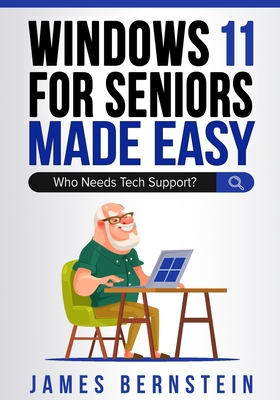
Windows 11 for Seniors Made Easy: Who Needs Tech Suppor?
These days everyone has a desktop computer, laptop, or at least a device such as a smartphone or a tablet that they use to do things such as go online, send emails, and so on. And for the people who use a personal computer at home or at work, then there is a very good chance that it is running Microsoft Windows and if it's not, then you are most likely using a Mac and are reading the wrong book! When Windows 10 first came out, Microsoft has said that it would be the last version of their desktop operating system and that they would just continue to update it and add new features rather than come out with new versions. But now that Windows 11 is out, that proves what many of us always believed, that there would eventually be a replacement for Windows 10. And when a company releases new software, they feel the need to change things around to make it look like it has been "upgraded" but many times, they are making changes just to justify calling it new! The goal of this book is to help you get the most out of your Windows 11 computer and make you a more proficient computer user. I will cover the basics (in detail) to better help you understand how to do things like open programs, locate your files, customize your desktop, install apps and games, browse the internet, navigate the Windows Start menu and more.
I always like to take a step-by-step approach so users at any skill level will be able to follow along. I will also include many screenshots to help you see what I am discussing in case you want to follow along on your own computer.
115.65Lei
115.65Lei
Primești 115 puncte
Livrare in 2-4 saptamani
Descrierea produsului
These days everyone has a desktop computer, laptop, or at least a device such as a smartphone or a tablet that they use to do things such as go online, send emails, and so on. And for the people who use a personal computer at home or at work, then there is a very good chance that it is running Microsoft Windows and if it's not, then you are most likely using a Mac and are reading the wrong book! When Windows 10 first came out, Microsoft has said that it would be the last version of their desktop operating system and that they would just continue to update it and add new features rather than come out with new versions. But now that Windows 11 is out, that proves what many of us always believed, that there would eventually be a replacement for Windows 10. And when a company releases new software, they feel the need to change things around to make it look like it has been "upgraded" but many times, they are making changes just to justify calling it new! The goal of this book is to help you get the most out of your Windows 11 computer and make you a more proficient computer user. I will cover the basics (in detail) to better help you understand how to do things like open programs, locate your files, customize your desktop, install apps and games, browse the internet, navigate the Windows Start menu and more.
I always like to take a step-by-step approach so users at any skill level will be able to follow along. I will also include many screenshots to help you see what I am discussing in case you want to follow along on your own computer.
Detaliile produsului